Financial Caretaking Plan Overview
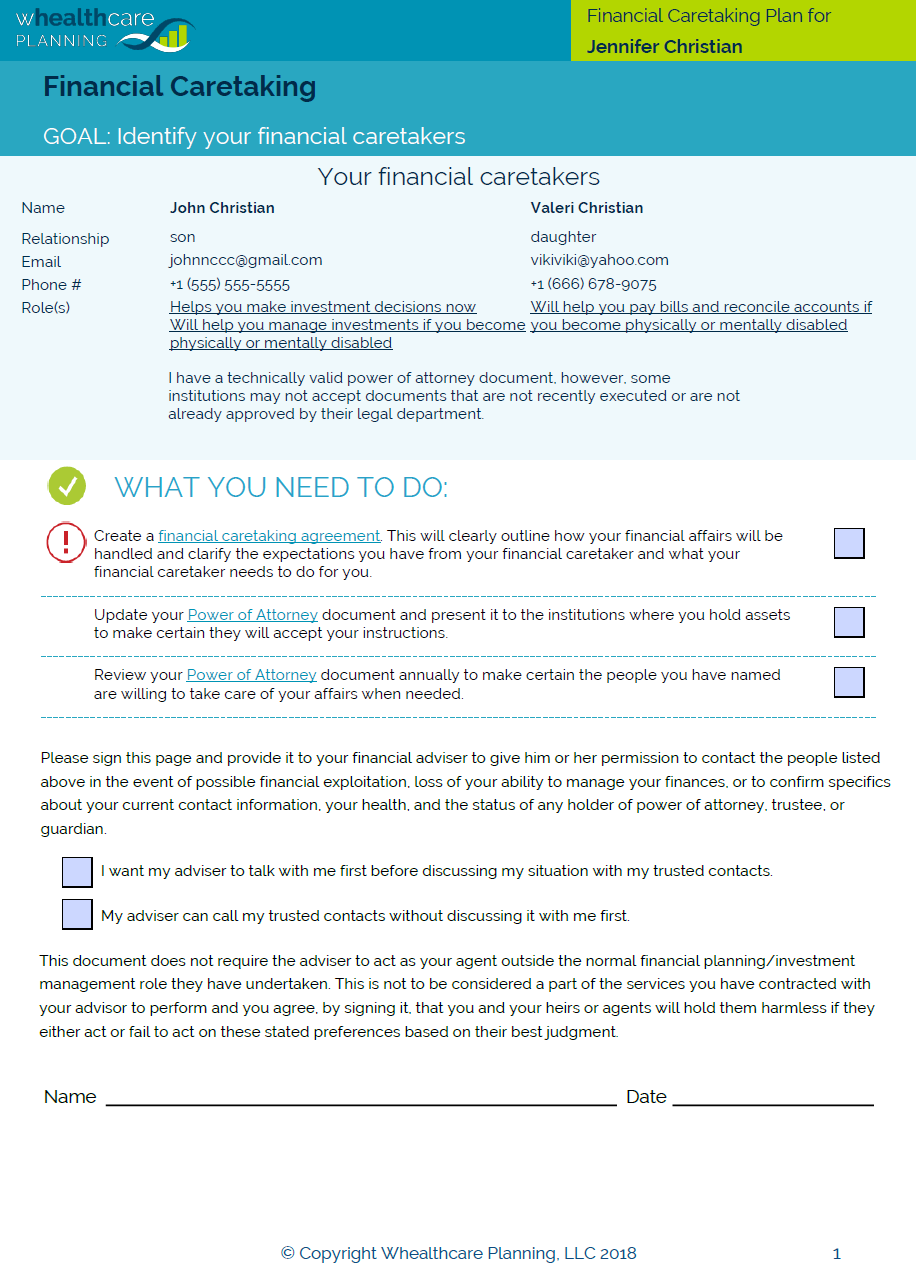
The Financial Caretaking Plan addresses the financial management challenges that occur as a person ages. The Plan outlines steps you have taken to prepare for transferring bill paying, investment management, and implementation of the estate plan and the tasks you need to complete to get ready for the day you can no longer manage finances on your own.
When the questionnaire is finished, a customized Financial Caretaking Plan will be generated that includes a personalized checklist of tasks needed to be completed.
How it works

Complete Questionnaire
The questionnaire can be completed on-line on any device. You can save your answers at any time if needed and come back and finish later.

Generate Plan
The application generates a personalized caretaking plan that summarizes your financial readiness for aging and includes the names of trusted individuals who can help you make finanical decisions.

Execute Tasks
Your financial caretaking plan includes a prioritized list of tasks. The tasks can be copied and pasted into other programs, including Word, Outlook, or a personal finanical management software application.

Learn More
Hyperlinks to our Whealthcare Education Center are provided within the plan that enable you to drill down on more complex topics and view instructions on tackling complicated tasks.
Completing the Questionnaire
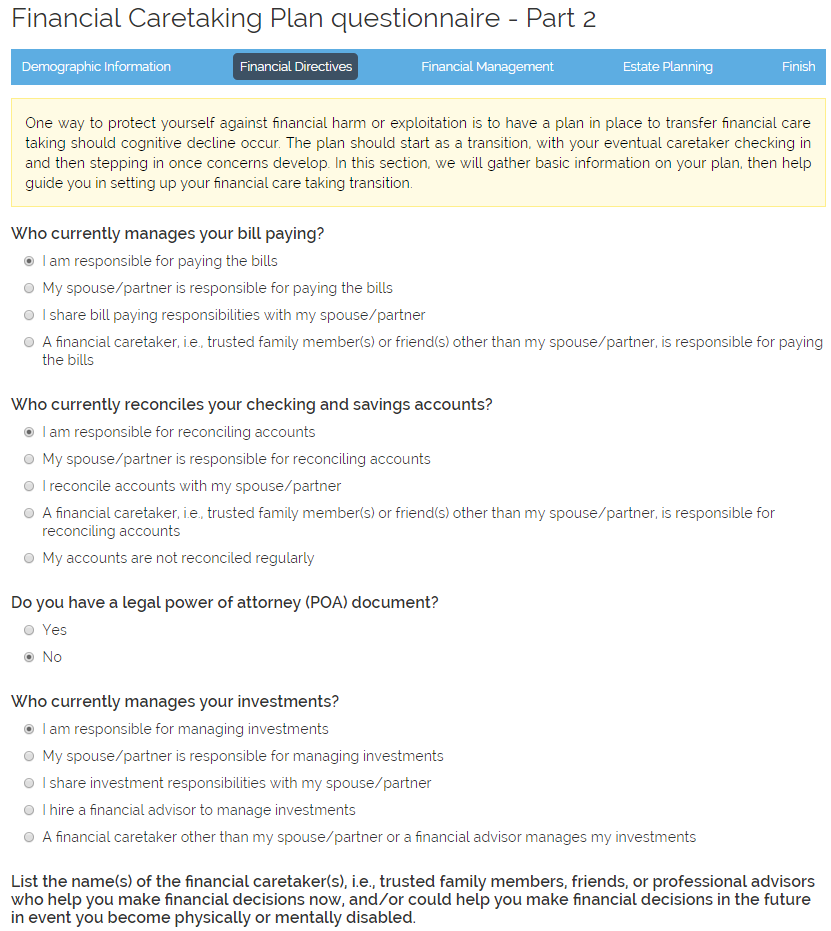
The Financial Caretaking Plan questionnaire contains 30 questions, and takes only about 15 minutes to complete. The questionnaire is designed to collect information on your "trusted contacts", i.e., family members or friends who can help you with financial decisions in case of a medical emergency. The questionnaire also determines your current level of involvement in making financial decisions, guides you in setting up your financial caretaking transition, and collects important estate planning information.
The application always remembers the answers to all questions that have previsouly been answered. If needed, you can save a partially completed questionnaire and come back later and finish.
Financial Caretaking Plan and Task List
Once the questionnaire has been completed, the application generates a customized Financial Caretaking Plan. The Plan will be different for person, depending how they answered the questions. The Plan is available in 2 formats: PDF and Microsoft Word. Both documents are available from your dashboard. The Plans never expire and can only be deleted by the user.
To update a Plan, on your dashboard, simply click the "update" icon next to the name of the Plan for the person you want to update. The application keeps your previous answers and you only need to change the answers to those questions that need to be updated.
Once you save your new answers, a new Plan will be generated. The previous Plan will no longer be avialable, so if for some reason you want to keep an older version of a Plan, download the existing Plan to your computer before changing your answers.